THREE SCREENS

Live latency as a sunset drive. Higher WARP means lower ping.
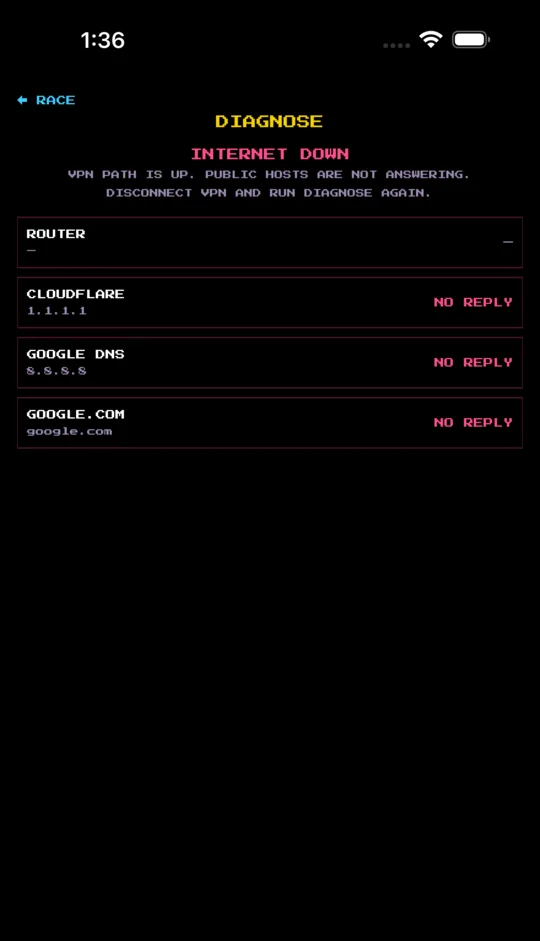
A hop ladder that names the villain: Wi-Fi, the internet, or DNS.
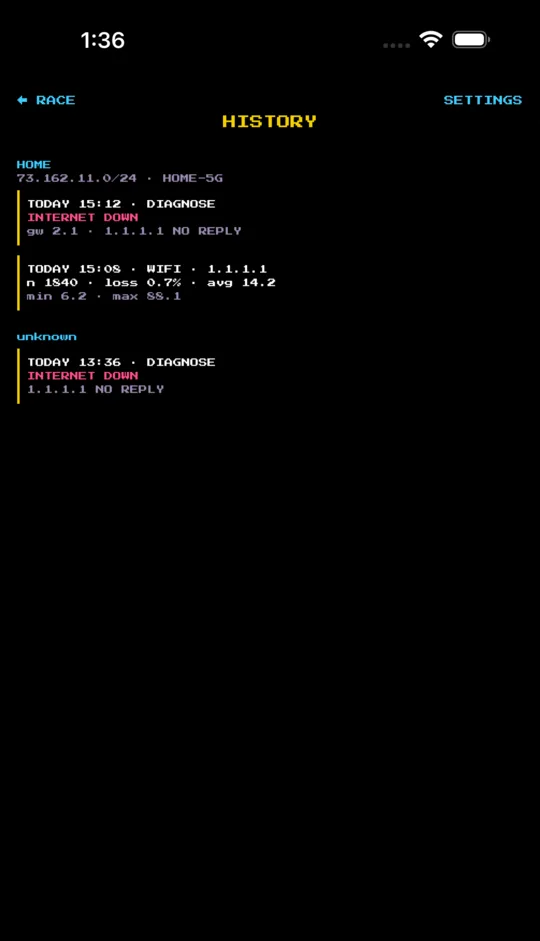
Past sessions grouped by which internet you were on.
HOW IT WORKS
DIAGNOSE
Walks your router, 1.1.1.1, 8.8.8.8, then a hostname, and tells you where it broke in English — not traceroute hieroglyphs. On cell it skips the router hop.
WARP
The big number goes up as ping goes down. The tiny number is milliseconds. Default target is 1.1.1.1, pinged every 0.25 seconds — that's almost no bandwidth.
HISTORY
Sessions and diagnoses grouped by network. Tap a group to name it HOME or OFFICE. Kept on the phone for 90 days, then deleted.
WHAT IT'S FOR
ZOOM
Set it next to your computer on a call. Now you know if it's the right moment to say something legit — or to keep quiet because the audio is about to cut out and make you look like a dweeb.
GAMING
Dock the phone on your desk while you play. Now you know if it's the right moment to come out of that bush, or to chill because your latency is whack.
WI-FI SKILLZ
Walk around your crib with Retro Ping running and move the antennas until it's wicked fast. If WARP drops by the fridge, that's the fridge. Diagnose will say if it's actually the internet.
CELL RECEPTION
Five bars but nothing loads? Walk around and watch which spots are a buzz kill and which are dope.
THE FINE PRINT
- Pings every 0.25 seconds. A ping is the round trip to a host and back, in milliseconds.
- Default target is Cloudflare 1.1.1.1 — close to you in 200+ cities. Change it in Settings.
- If ICMP is blocked it falls back to TCP/443 and shows · TCP. The router hop never cheats with TCP, so a silent router reads ROUTER QUIET, not "Wi-Fi is dead."
- No ads. No third-party analytics. Anonymous stats are off until you say so.
- Native rewrite, built fresh in 2026. Same listing. Same sunset.